A strong SEO site structure makes the role of every page clear to people and search systems. Service pages, category pages, and articles should connect through real content relationships rather than links added only to increase link count.
Quick summary
What you get from this article
- Group queries by intent, then give each intent one page that owns it.
- Keep commercial service pages separate from informational articles so they do not compete.
- Internal links should explain relationships, not hit a link count.
- Link text should describe the destination without surrounding context.
- Check in Search Console whether the pages earning traffic are the ones you designed for it.
Start from search intent, not keyword count
Similar-looking keywords can come from people at completely different stages. Someone searching website design cost is closer to buying; someone searching how to build a website is learning. They should not land on the same page.
Group keywords by what the searcher is trying to do, then decide which page type should serve each group. That produces the right number of pages instead of one page per keyword.
Once intent is clear, decide whether the page should be an article, service page, or comparison page — not every keyword needs a new URL.
Example case (name withheld): a services site had three articles targeting near-identical queries. After merging into one page with 301 redirects, combined traffic for that topic cluster rose roughly 28% over ten weeks — not a ranking guarantee, but a sign that one clear page outperformed three competing ones.
Image slot prepared — artwork to follow
Image slot — four search intents mapped to page types
Map one topic to one primary page
Build a table with one keyword group per row and the primary page responsible for that group. A row with no page means you need to create one. One page on several rows means you may need to split or consolidate.
This table surfaces cannibalisation early — a common reason sites with many pages still fail to rank strongly for anything.
Run keyword mapping before every new article — it reduces the chance of creating pages that compete with each other.
- One row per primary intent
- A clearly named responsible primary page
- Flags for pages to merge or redirect
Image slot prepared — artwork to follow
Image slot — keyword mapping spreadsheet to primary pages
Build clusters that send strength to service pages
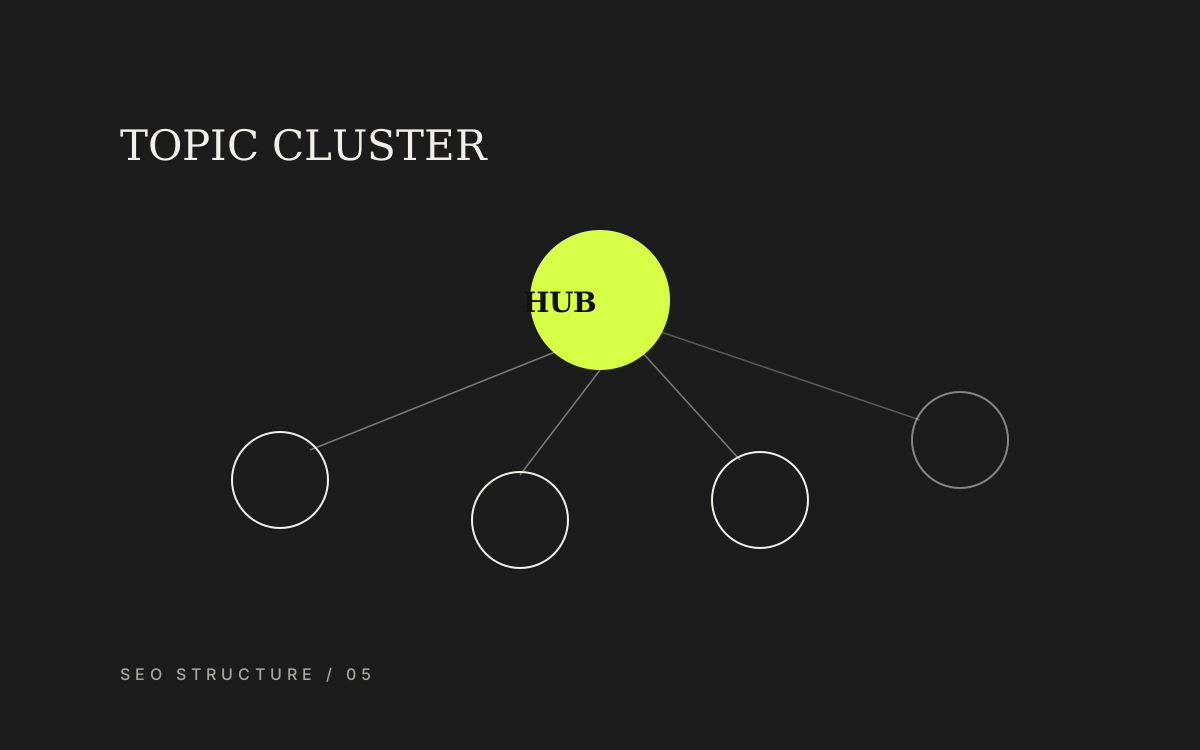
A reliable pattern is a hub page for the category surrounded by articles that answer narrower questions. Every article in the cluster links back to the hub, and the hub links out to the supporting articles.
Search systems then see genuine depth on the topic, and readers who arrive from an article can move naturally towards a hiring decision.
- The hub page explains the overview and links to all supporting pages
- Each article answers one question fully without repeating the hub
- Every article links back to the relevant service page at least once
- Case studies reinforce trust across the cluster
Image slot prepared — artwork to follow
Image slot — topic cluster with central service page and supporting articles
Internal links should explain relationships
Internal links do more than move people between pages. They tell search systems which pages matter and what they are about. A page linked from several places with consistent anchor text is easier to understand.
Link text should describe the destination even out of context. Click here and read more waste an opportunity to explain the relationship to both people and search systems.
Links from articles to service pages should use language that reflects the service, not only the company name.
- Contextual links placed in paragraphs about that topic
- Anchor text avoids generic repetition across the site
- Important pages receive links from several related pages
Validate structure with real data after launch
Four to eight weeks after launch, open Google Search Console and see which pages receive which queries. If hiring-intent queries land on articles instead of service pages, the structure or copy still does not communicate roles clearly enough.
Review indexing coverage, overlapping pages, and where article readers go next. That data shows whether to rename pages, adjust copy, or add internal links at specific points.
Image slot prepared — artwork to follow
Image slot — Search Console showing queries mapped to landing pages
Preparation
Information to prepare before you start
- Query groups separated by search intent
- A mapping table from query groups to owning pages
- A cluster diagram across articles, service pages, and case studies
- An internal link list with descriptive anchor text
- A redirect plan for any URL that must change
Related services